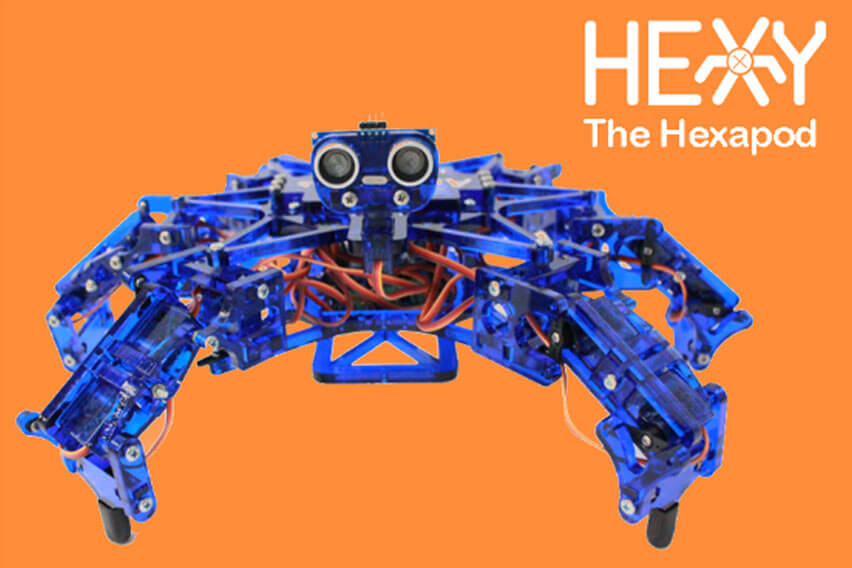
Getting Started with Hexy
	<a style="text-decoration: none;" href="http://download.arcbotics.com/PoMoCo-Win32-v2.0-setup.exe">
	<div class="software-select" style="display: inline-block; vertical-align: top; width: 31%; min-width: 180px; height: 370px; background-color: #00d6fb; color: white; border-radius: 50px;">
		<h2 style="text-align:center;">PoMoCo 2</h2>
		<div style="text-align:center;" >
			<img src="/wp-content/uploads/2016/08/windows_logo_300x300.png" alt="windows_logo_300x300" width="80%;" class="aligncenter size-full wp-image-4082" />
		</div>
		<div style="height: 110px;">
			<h2 style="text-align:center; margin-bottom: 0;">Win Vista/7/8/10</h2>
			<h2 style="text-align:center; margin-top: 0px;">Installer</h2>
		</div>
		</br>
	</div>
	</a>

	<div style="display: inline-block; width: 2%;"></div>

	<a style="text-decoration: none;" href="http://download.arcbotics.com/PoMoCo-OSX-v2.0.zip">
	<div class="software-select" style="display: inline-block; vertical-align: top; width: 31%; min-width: 180px; height: 370px; background-color: #00d6fb; color: white; border-radius: 50px;">
		<h2 style="text-align:center;">PoMoCo 2</h2>
		<div style="text-align:center;" >
			<img src="/wp-content/uploads/2016/08/apple_logo_300x300.png" alt="apple_logo_300x300" style="width: 80%;" class="aligncenter size-full wp-image-4083" />
		</div>
		<div style="height: 110px;">
			<h2 style="text-align:center; margin-bottom: 0;">Mac OSX</h2>
			<h2 style="text-align:center; margin-top: 0px; margin-bottom: 0;">Application</h2>
		</div>
		</br>
	</div>
	</a>

	<div style="display: inline-block; width: 2%;"></div>

	<a style="text-decoration: none;" href="http://download.arcbotics.com/PoMoCo-Linux-v2.0.zip">
	<div class="software-select" style="display: inline-block; vertical-align: top; width: 31%; min-width: 180px; height: 370px; background-color: #00d6fb; color: white; border-radius: 50px;">
		<h2 style="text-align:center;">PoMoCo 2</h2>
		<div style="text-align:center;" >
			<img src="/wp-content/uploads/2016/08/linux_logo_300x300.png" alt="linux_logo_300x300" style="width: 80%;" class="aligncenter size-full wp-image-4085" />
		</div>
		<div style="height: 110px;">
			<h2 style="text-align:center; margin-bottom: 0;">Linux</h2>
			<h2 style="text-align:center; margin-top: 0px;">Source Code</h2>
		</div>
		</br>
	</div>
	</a>
	<p style="text-align: center;">Advanced users can <a title="Installing and Running PoMoCo" href="/lessons/pomoco2-start/">install from source</a>.</p>
	<p style="text-align: center;">If you’re feeling nostalgic, you can install the PoMoCo 1.0 software from <a href="/lessons/pomoco-start/">here</a>.</p>
</div>
	<a style="text-decoration: none;" href="/lessons/using-pomoco-2-0/">
        <div class="hover-shadow" style="background-color: #00d6fb; margin: auto; width: 400px; height: 100px; border-radius: 20px; color: white; margin-top: 50px; text-align: center; margin-bottom: 50px;">
        <h1 style="padding-top: 30px;">Using PoMoCo 2</h1>
        </div>
    </a>

	<p style="text-align: center;">Support is available on the <a href="http://forum.arcbotics.com/">forums</a>, or by <a href="https://arcbotics.zendesk.com/home">contacting our support staff</a>.</p>
	<p style="text-align: center;">For replacements and troubleshooting of any issues, please <a href="https://arcbotics.zendesk.com/home">contact us</a>.</p>
</div>